MailmanLists
FAQ
Payment methods
Pay by credit/debit card
Credit/debit card payments are processed by PayPal but you do not need a PayPal account.
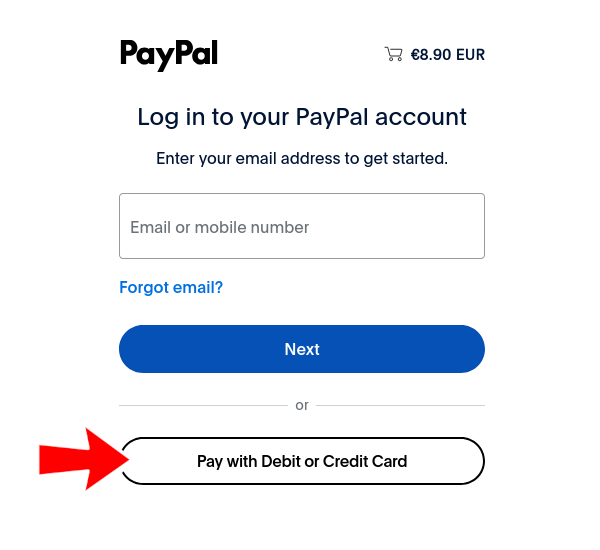
Clicking the 'Pay now' button in an invoice will open a PayPal page.
On the PayPal page, click the 'Pay with debit or credit card' button.
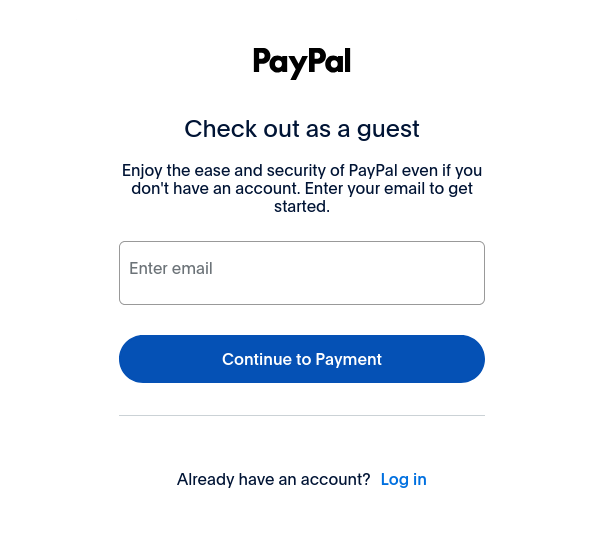
The next page will ask for your email address. PayPal will send your receipt to this email address.
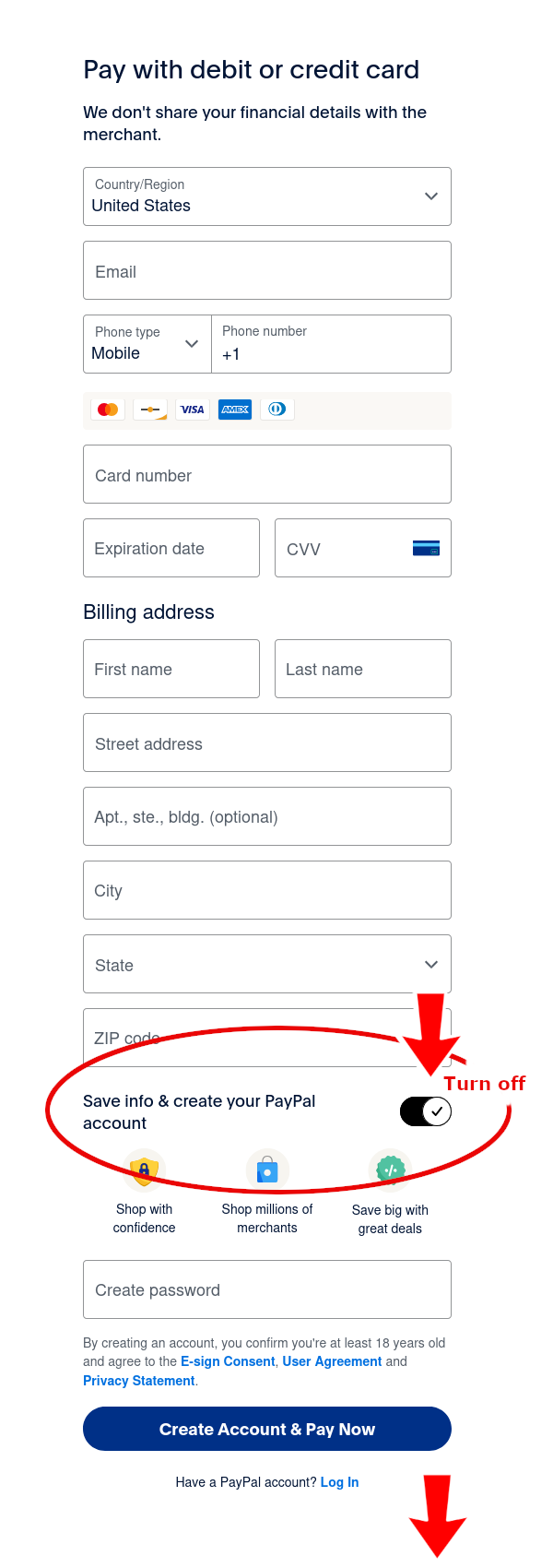
The next page asks for your billing address.
PayPal uses this information to communicate with credit card companies, check for fraud, and ensure the payment attempt is authentic.
This information is not included in the transaction and is not shared with MailmanLists.
Enter the required billing address information.
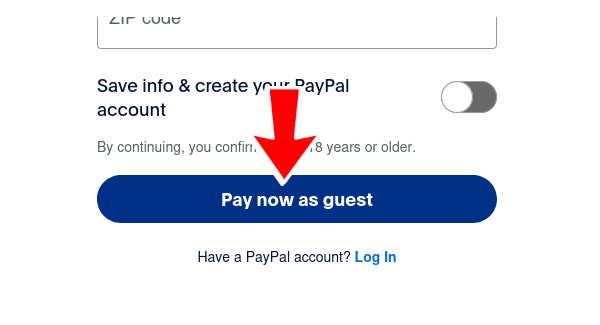
If you do not want to create a PayPal account, turn off the 'Save info and create your PayPal account' option. Then, 'Pay now as guest' will be displayed.
Pay by PayPal account
Pay by direct bank transfer
MailmanLists accepts payment by local direct bank transfer in Australia (AUD), Europe (EUR, CHF), the United Kingdom (GBP), and the United States (USD).
If you're in one of the above locales, MailmanLists' local bank account details will display automatically on your invoice. Otherwise contact us and we'll edit your account so the appropriate bank account details display on your invoices.
Pay by Bitcoin
Before ordering, select Bitcoin as the default currency in your account.
Note: Only Bitcoin deposited via the standard BTC network are accepted. Deposits sent from an unsupported network i.e. Binance Smart Chain, Arbitrum, Lightning or KCC etc. will not be received and are unrecoverable.
Wallet ID: